HRM End User - step 2: Turn on HRM
What is an End User? You are an End User if you are a direct Celery customer (not going through a payroll service provider).
Before you start: turn on the HRM module
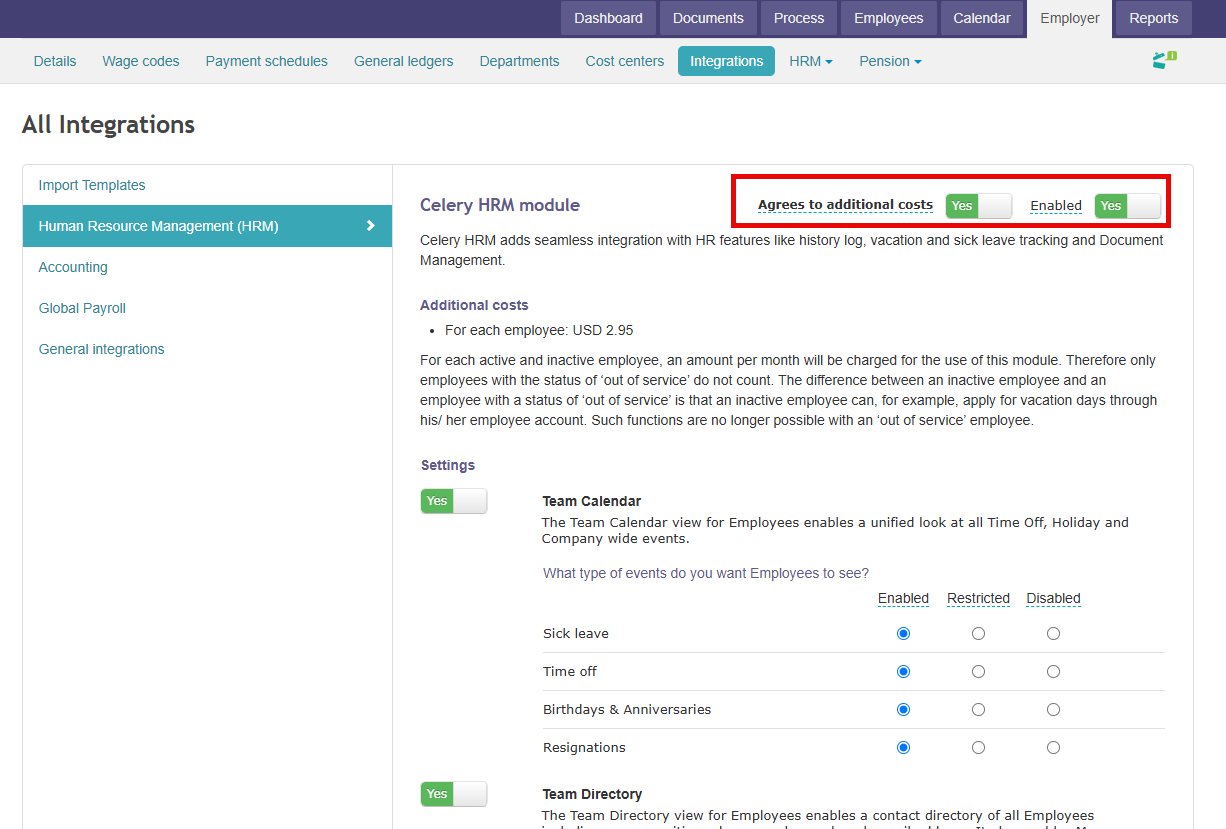
- Go to Employer → Integrations → Human Resource Management (HRM).
- Click on Enable and Agrees to additional costs both should be on Yes
Important tip: turn all settings OFF first
When you first set up HRM, switch all settings off.
This way, your employees won't see any changes yet in their accounts. You can finish the setup quietly, without confusing anyone.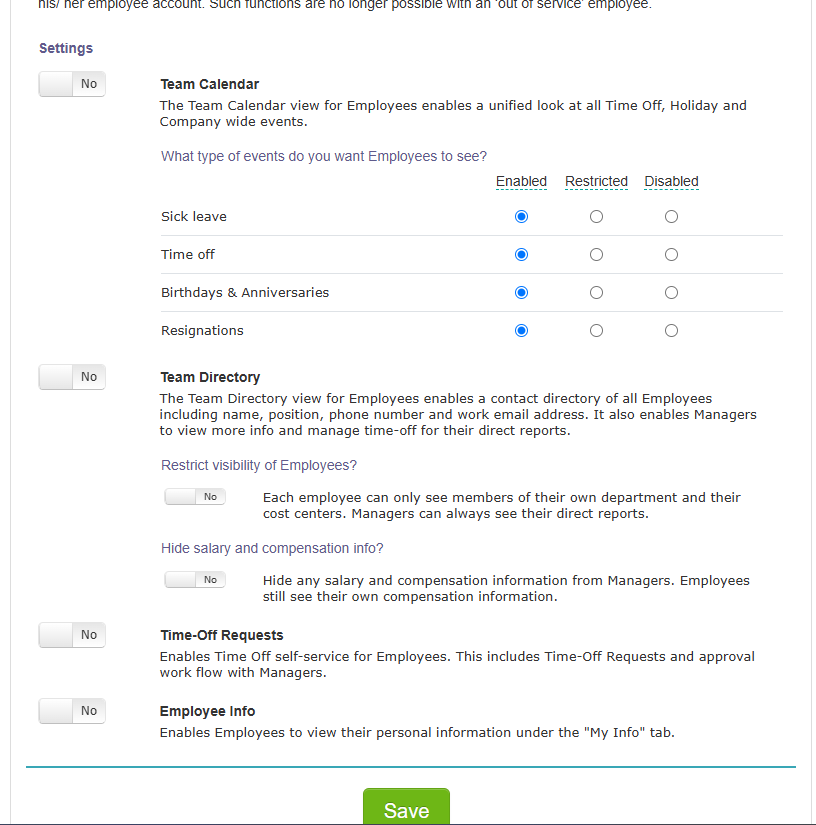
HRM Module Authorisation
- Go to Account → Users.
- Find your user and turn on "Manage HR tasks for all employers".
This gives you the HRM permissions you need.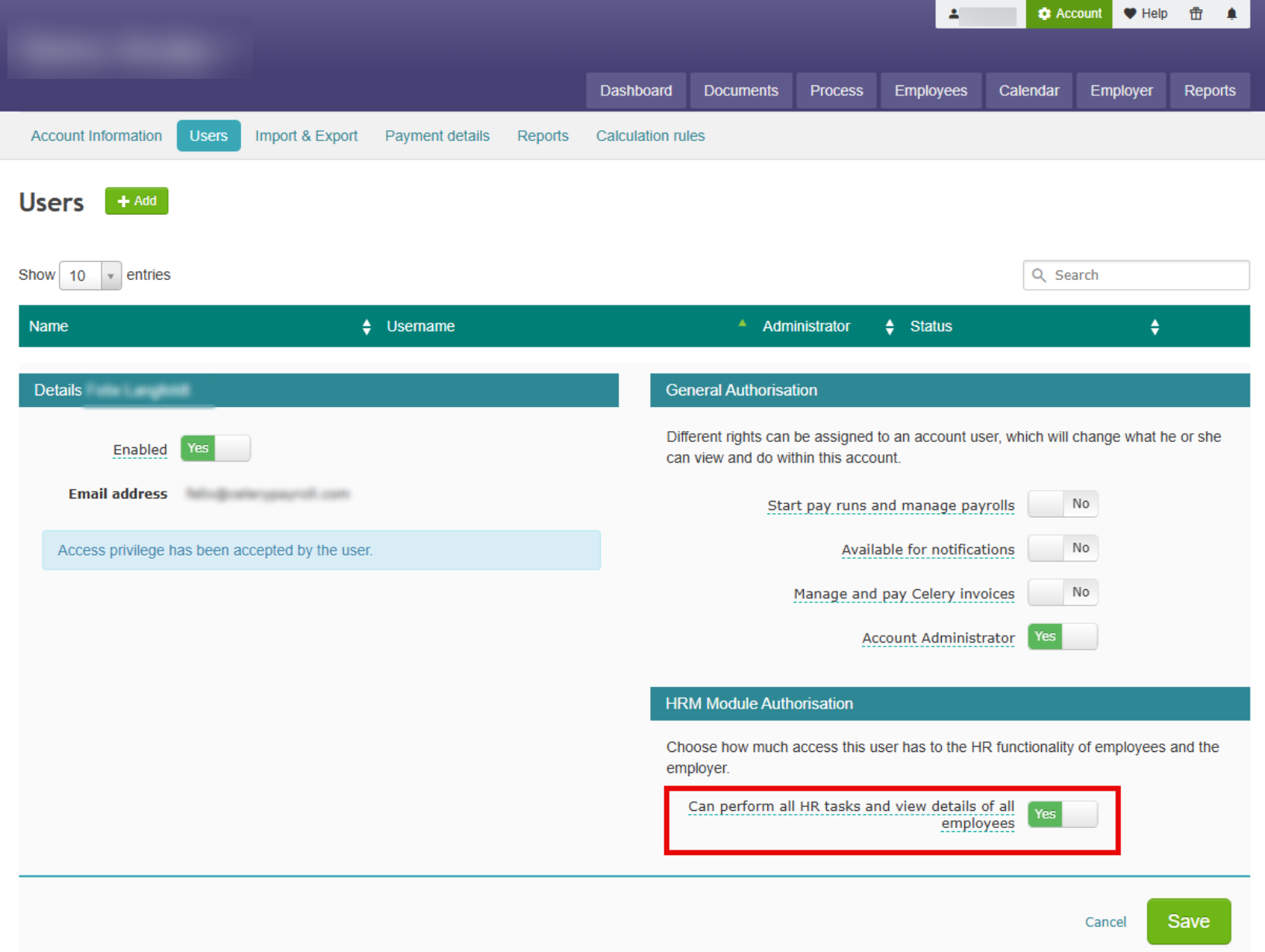
When you're ready, turn the settings on
Once everything is set up, you can turn the settings on and let your employees know.
Want to tell them what changed? Send them this link: What changed in my employee account?
What's next?
You're ready to start! You can now add employee data and set up rules for sick leave and time off.