How does Celery process entry into/leaving employment?
- Celery automatically notices if an employee starts or stops working partway through a pay period. This is usually added in the employment details.
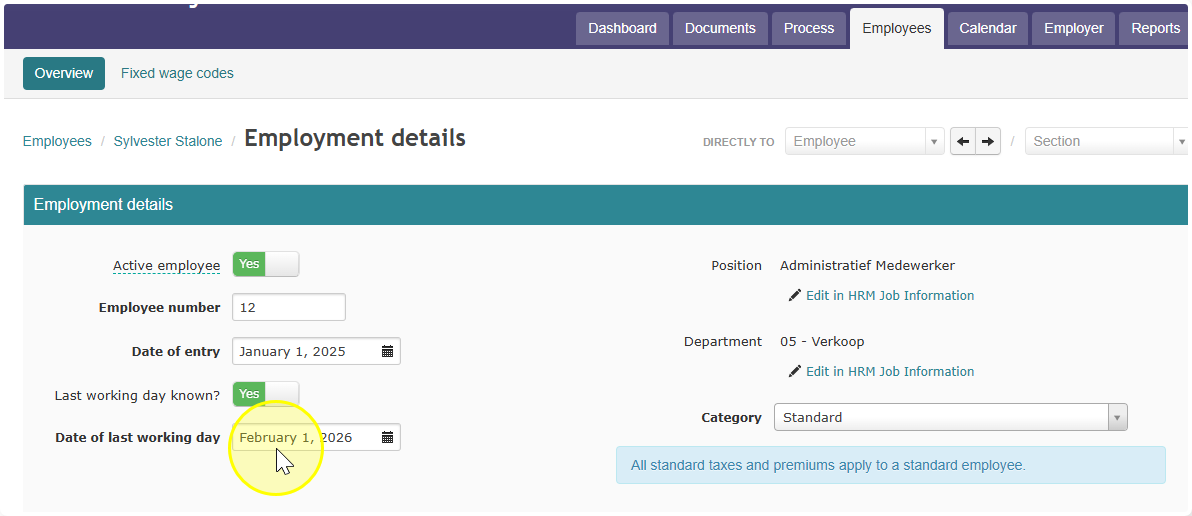
- When you process the wages for that pay period, a separate window will pop up on its own.
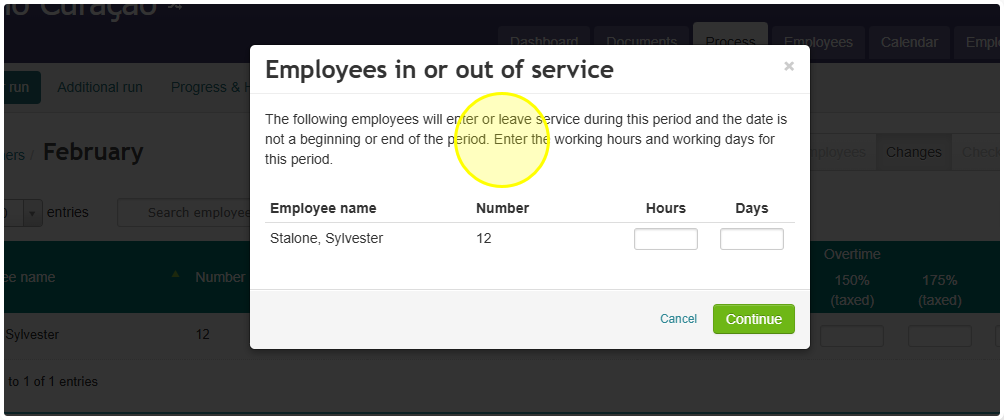
- In this window, enter the number of hours and days the employee actually worked during that pay period.
- Celery uses what you entered to give the employee the exact number of hours they worked in that pay period. Nothing more, nothing less.
- Celery calculates Wage Tax for that employee using the legally required Daily Wage Tax table. This is a special table used just for these part-period cases.
- Celery also automatically adjusts all other extra pay items to match the hours worked. This includes:
- Additional taxed fringe benefits
- Taxed expense allowances
- Untaxed expense allowances
Did you find it helpful?
Yes
No
Send feedback Sorry we couldn't be helpful. Help us improve this article with your feedback.